Browser extension · Available now for Chrome and Edge

On every new tab, an ayah and its meaning.

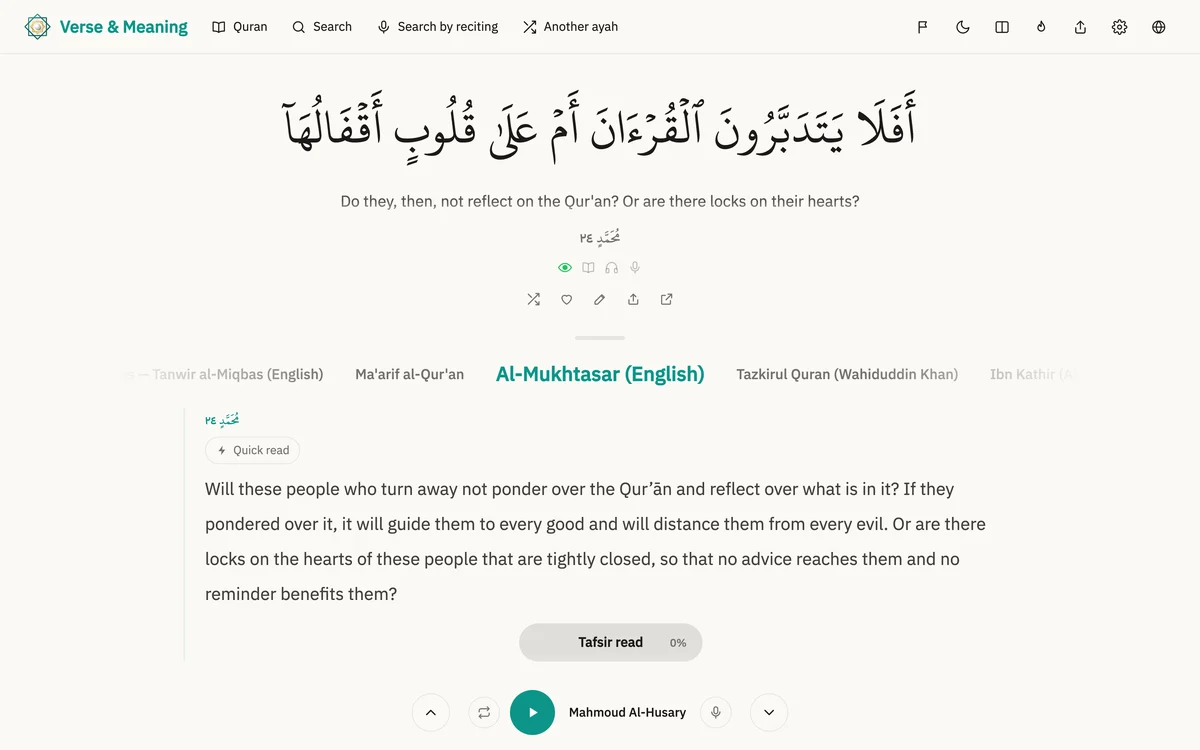
As the app puts an ayah before you each time you open your phone, the extension puts one before you each time you open a new tab, with its tafsir beneath it. Read it in a moment, then carry on with what you were doing.

New tab
Every new tabOr every hour, or every day, as you choose
70+ tafsirsAl-Muyassar and Al-Jalalayn work offline
~500 recitersFrom the app’s own list, across riwayat
No adsAnd it collects no data

A tour of the extension

A new tab worth pausing on.

The ayah

An ayah from the whole Quran.

At random until you have met every ayah, or in order through a niyyah you set. Ask for another, or step to the ayat before and after.

Tafsir

And its meaning beneath it.

Its tafsir in your language, from Al-Mukhtasar up. When you finish, press “Tafsir read”.

Tafsirs

Over seventy tafsirs.

From Al-Muyassar and Al-Jalalayn to Ibn Kathir, At-Tabari and Al-Qurtubi, in a single strip you move along.

Layout

Above it, or beside it.

The ayah above the tafsir, or the tafsir beside it on wide screens.

Recitation

In your reciter’s voice.

From the app’s own list of reciters, with search, sorting and favourites. The recitation moves on ayah after ayah.

Repeat

Repeat until it stays.

The ayah, the surah or a range you choose, how many times each ayah plays, and a sleep timer.

Niyyah

And every tab opens where you left off.

Set a niyyah for a surah or the whole Quran, in order or at random, and it goes with you tab after tab.

Look

In the app’s colours and fonts.

Light or dark, with the same mushaf fonts as the app.
New tab

Reciting from memory

Recite from memory on a new tab.

New tab
  • “Recite along”The ayah is hidden. Recite it from memory and its words appear one by one as you go.
  • Downloaded only onceThe recitation model you downloaded in the web version is the one the extension uses.
  • On your deviceYour voice never leaves your browser. Recognition runs locally.

Niyyah

Your niyyah goes with you.

New tab
  • Your daily portion, your choiceChoose a surah or the whole Quran, in order or at random, and every new tab opens where you left off.
  • A daily reminderAn ayah at the time you choose, if you want one.

Install

Three clicks, and you’re set.

Add it from your browser’s store, and it shows on every new tab from then on.

  1. Open its page in the Chrome Web Store

The browser buttons are drawn to show where to click; the pages inside them are real captures of the extension.

Chrome Web Store
chromewebstore.google.com
Verse & Meaning · آية ومعنىAn ayah and its meaning on every new tab
Add to Chrome

An ayah on every new tab.

The extension is on the Chrome Web Store now, and Edge installs it from there too. The Firefox version is on its way.

Collects no dataNo adsQuran text from the King Fahd Complex mushaf, via QUL